How to Transfer Your Account to Someone Else
Hand your Last War account over for good: move it to a new email, remove it from your device, and pass on the login.
Handing your Last War account to someone else, such as an alliance mate taking over your account, comes down to two things: put the account on an email address you can give away, then sign it out of your own device.
Before you start
- Spend or hand off what you want first. Anything left on the account goes with it.
- Plan for the 90-day lock. After you change the account's email, you can't change it again for 90 days. Make sure the new address is the one you'll hand over.
- Use a brand-new email address that you've never used anywhere else. You'll be giving the new owner its password, so it shouldn't be connected to anything of yours.
Step 1: Create a new email address
Make a free email account (Gmail, Yahoo, Outlook or similar) just for this account. Write down the address and password; you'll pass both to the new owner at the end.
Step 2: Move the game account to the new email
Change the email linked to your game account to the new address. This video walks through it:

Watch on YouTube: how to change the email on your Last War account
Step 3: Remove the account from your device
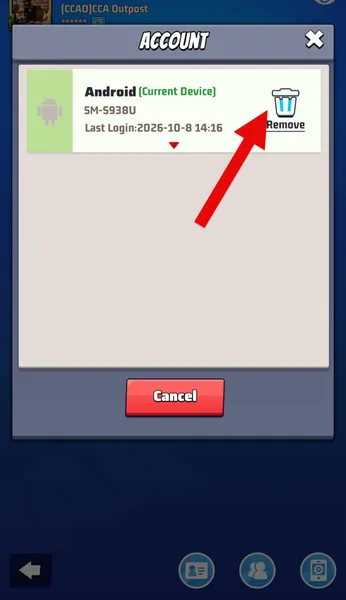
Now sign the account out of your phone so only the new owner can use it.
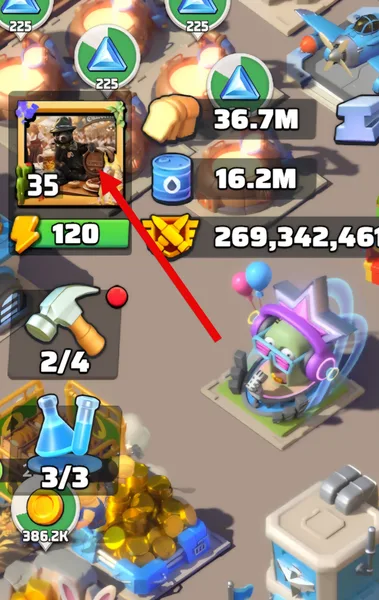
1. Open your profile. Tap your profile picture in the top-left corner.
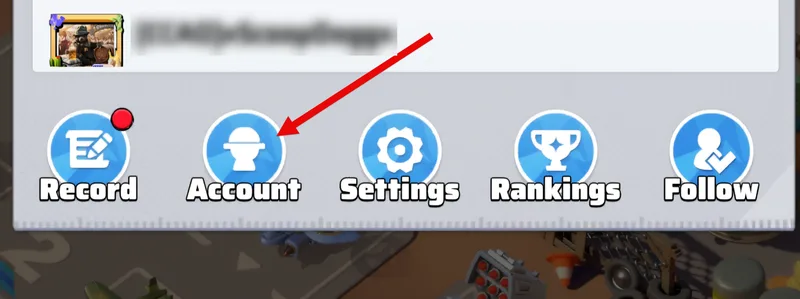
2. Open Account. Tap Account.
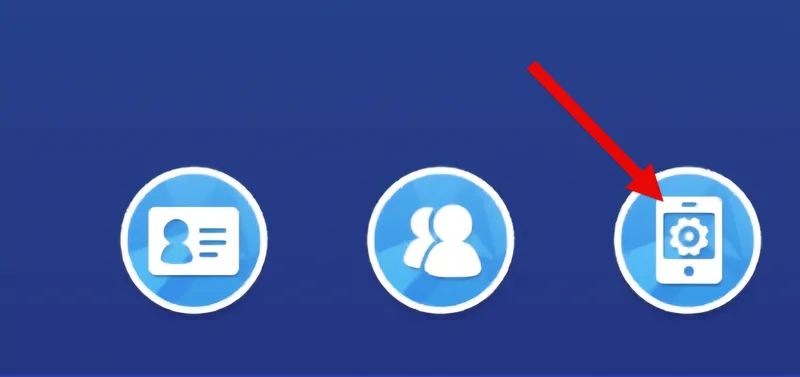
3. Open Devices. Tap the Device icon.
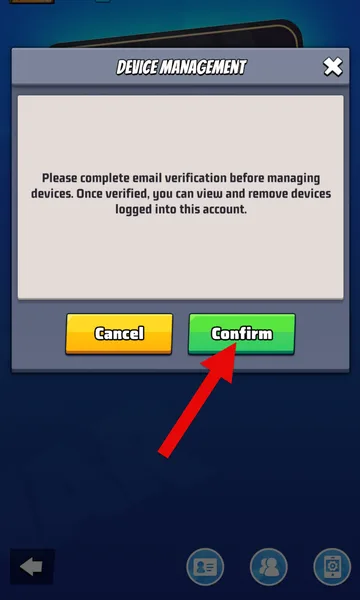
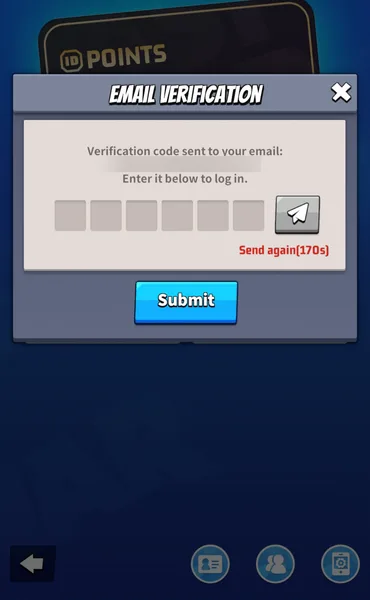
4. Confirm your email. Tap Confirm to send a verification code to the new email address.
5. Enter the code. Open the new email inbox, copy the verification code, enter it in the form and tap Submit.
6. Remove the device. Tap Remove.
Step 4: Hand it over
Give the new owner the email address and its password. They sign in to the game with that email on their own device, and should then change the email's password (and, after 90 days, the account email too if they want it on their own address).
*Written by xScoopsDoggx.